
PlayEar1.11 - App Store
You'll be able to see results in few seconds.
Publisher Description
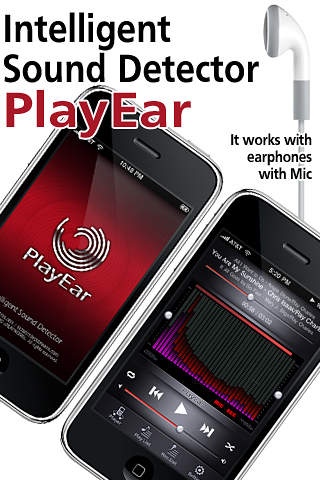
This is Player App that records, pauses and controls volume automatically according to the reaction to outside noise while you are listening to music.
Do you like listening to music on your iPhone while working, but hate missing important calls or hate not being able to hear your name being called by your boss or co-workers? Then you will love the new PlayEar App, designed specifically for your iPhone and iTouch. It was invented to allow you to listen to music at work worry-free.
It is operated by a standard ear microphone offered by IPhone.
"I'm usually working at my office while I am listening to music at high volume.
This habit causes me to miss my boss s remarks and suffer the consequences.
I oftentimes missed important business calls.
I couldn t listen to music through the speakers and if I try to listen with the earphone, not only could I not hear the noise outside, but I also couldn t concentrate on the task at hand even if I turn the volume down."
The application can stop the music or turn the volume down automatically when someone starts to speak while you are listening to music.
It includes a recording device so you can check for any missed outside noise later.
The PlayEar App also acts as a voice-activated recording device. You can program it to record certain sounds without interrupting your music or your work. The recording feature allows you to listen to sounds that you have missed later. You will be able to listen to music with confidence while working, knowing that you will not miss any important calls.
Features
Basically, it performs as a music player.
It reacts to outside noise while you are listening to music so that it can pause or control the volume automatically.
It records every sound while you are listening to music so that it allows you to check for what you missed and when you missed.
By recording only detected outside noise, it conveniently minimizes storage space.
It also functions as a hearing aid unless you play music.
Useful Tips:
* Deep Sleep - You can record your breathing pattern while you sleep to check the quality of your sleep. The voice-activated recording app will automatically record your snoring for you to hear when you wake up.
* Learning a foreign language - You can program it to pause what is being played by your voice. This feature allows you to repeat what you just heard. The PlayEar App will automatically resume play when you stop talking. This is great for learning a foreign language.
Requires iOS 3.1 or later. Compatible with iPhone, iPad, iPod touch (2nd generation), iPod touch (3rd generation), iPod touch (4th generation), iPod touch (5th generation), and iPod touch (6th generation).
About PlayEar
The company that develops PlayEar is EPLAYWORKS. The latest version released by its developer is 1.11.
To install PlayEar on your iOS device, just click the green Continue To App button above to start the installation process. The app is listed on our website since 2010-05-21 and was downloaded 0 times. We have already checked if the download link is safe, however for your own protection we recommend that you scan the downloaded app with your antivirus. Your antivirus may detect the PlayEar as malware if the download link is broken.
How to install PlayEar on your iOS device:
- Click on the Continue To App button on our website. This will redirect you to the App Store.
- Once the PlayEar is shown in the iTunes listing of your iOS device, you can start its download and installation. Tap on the GET button to the right of the app to start downloading it.
- If you are not logged-in the iOS appstore app, you'll be prompted for your your Apple ID and/or password.
- After PlayEar is downloaded, you'll see an INSTALL button to the right. Tap on it to start the actual installation of the iOS app.
- Once installation is finished you can tap on the OPEN button to start it. Its icon will also be added to your device home screen.
Program Details
System requirements
Download information
Pricing
Version History
version 1.11
posted on 2010-05-21
Disclaimer
Official App Store Link
We do not host PlayEar on our servers. We did not scan it for viruses, adware, spyware or other type of malware. This app is hosted by Apple and passed their terms and conditions to be listed there. We recommend caution when installing it.
The App Store link for PlayEar is provided to you by apps112.com without any warranties, representations or guarantees of any kind, so access it at your own risk.
If you have questions regarding this particular app contact the publisher directly. For questions about the functionalities of apps112.com contact us.
